Gift cards can be more than a present — they’re flexible value you can use, convert, or move where it helps you most.\1) Redeem straight with the merchant- Check the card balance and any usage rules on the issuer’s website or app.- Enter the card number and PIN at checkout (online) or present the physical/e-code at the register (in-store).- Link the card to your account or mobile wallet if the retailer supports it to speed future purchases.- Call customer service if something goes wrong or the balance doesn’t match expectations.\2) Convert or sell for cash/crypto- Use reputable gift-card exchange platforms or P2P marketplaces to sell unwanted cards.- Compare offers and fees; high convenience usually means lower payout, while direct buyers may pay more but require verification.- Many services offer payouts to bank accounts, PayPal, or even cryptocurrency wallets; confirm processing times and security measures.- Always use escrow or verified-trader systems to reduce fraud risk.\3) Repurpose or trade locally- Trade with friends, family or local buyers for goods, services, or cash you actually need.- Buy items you can resell at a profit or convert into essentials (groceries, phone top-ups) to avoid wasting value.- Consider splitting large cards into multiple purchases if you don’t need the full amount at once.\Smart tips before you act- Read expiration and fee policies; some cards lose value over time or have activation fees.- Never share card numbers or PINs publicly, and be suspicious of buyers who pressure you to share details early.- Keep receipts and screenshots until the transaction is fully settled.\With a little research and caution, you can turn unused gift cards into purchases, cash, or even crypto — don’t let their value go to waste.
A gift card’s value is the balance stored on it — you can spend that balance at the retailer that issued the card or convert it into money or another form of credit. Below are three distinct ways to use or cash out a gift card, with simple steps and safety tips.
Redeem with the issuer (official route)
Sign in to the retailer’s website or app, find the “Redeem” or “Gift Cards” section, enter the card code and confirm.
For physical cards, present the card at checkout and the cashier will scan or enter the number to apply the balance.
This route usually gives you the full face value and carries the least risk of fraud. Examples: redeeming on Amazon through your account, using the App Store/Google Play redeem option, or scanning a card at a store register.
Sell on peer-to-peer marketplaces
List your card on a P2P site that connects sellers and buyers, set your asking price (typically a discounted amount), then accept offers from buyers.
Reputable platforms use escrow: the buyer deposits funds, you transfer the code, and the platform releases payment once the buyer confirms.
Good for getting a higher return than instant-buy sites, but requires vetting buyers and following platform safeguards to avoid scams.
Use a third-party buyback or exchange service
Submit your card details to a gift-card exchange or buyback site to receive an immediate quote.
These services can pay by bank transfer, PayPal, or even cryptocurrency, or convert your balance into another retailer’s credit.
Payouts are fast and convenient, though exchange rates and fees are often less favorable than P2P sales.
Practical tips for all methods
Check the card balance before doing anything.
Keep the card code private until a transaction is complete.
Compare offers across platforms to get the best net amount after fees.
Prefer services with escrow, clear refund policies, and positive user reviews.
Avoid sharing screenshots of codes in public chats and be cautious of buyers who pressure you to complete off-platform.
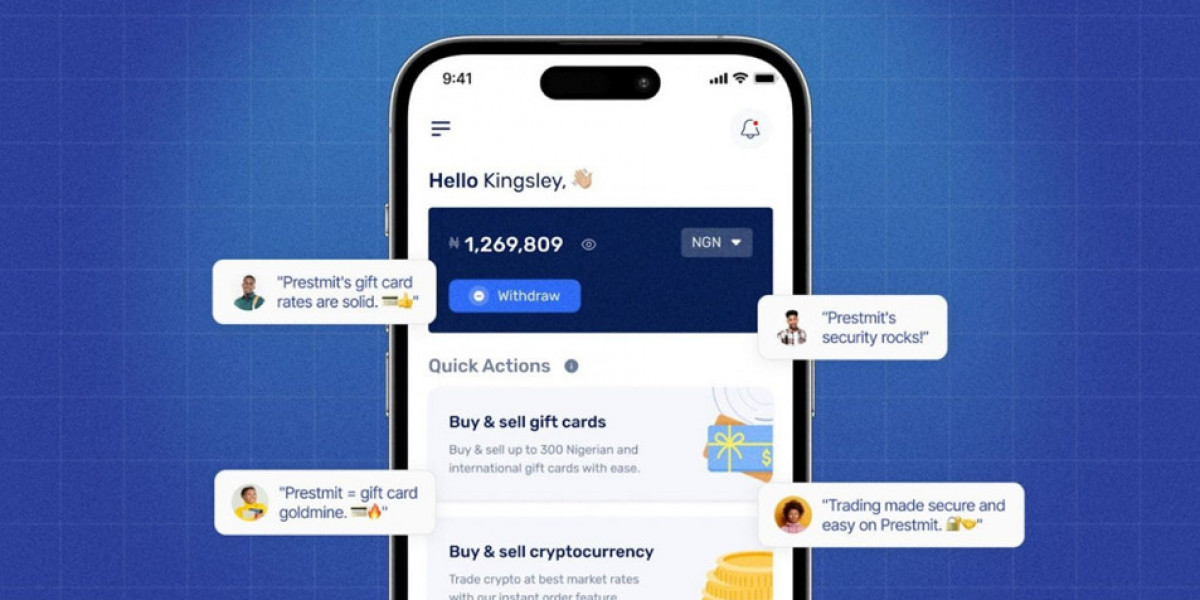
Prestmit is a leading gift-card exchange in 2025, offering access to more than 500 brands — from Amazon, Steam and Apple to Sephora, Google Play and many others.
Why people choose Prestmit:
A huge selection: browse gift cards across entertainment, gaming, retail and more to find what matches your needs.
Multiple payout options: receive funds via mobile money, bank transfer or cryptocurrency — pick what’s most convenient.
Live rate calculator: see the real-time exchange value of any card in cash or crypto before you sell.
Fast payouts: payments are issued immediately after your transaction is confirmed.
Round-the-clock support: customer service is available 24/7 to help with questions or issues.
How to sell a gift card for local currency (e.g., naira or cedi):
- Install the Prestmit app from Google Play or the App Store and sign up.
- Open the app and tap “Gift Cards,” then choose “Sell Gift Cards.”
- Pick the currency/payout (naira or cedi) and select the appropriate gift card category and type.
- Enter the card amount and either upload a photo of the card or paste the code in the comment field.
- Follow the on-screen prompts to confirm the sale.
- Receive your payment as soon as the platform verifies the transaction.
How to sell a gift card for Bitcoin (BTC):
- Download and log into the Prestmit app.
- Go to “Gift Cards” → “Sell Gift Cards” and choose Bitcoin as your payout method.
- Select the gift card category and type, enter the amount, and provide the card image or code.
- Supply your BTC wallet address and complete the remaining prompts.
- Once confirmed, your BTC is sent immediately to the wallet you provided.
Common redemption problems and practical fixes:
Invalid code errors:
- Recheck the code for typos, extra spaces or wrong characters; case sensitivity matters.
- Try typing the code manually rather than pasting, or wait a few minutes and try again.
- If it still fails, contact the gift card issuer’s support for help.
Region-locked cards:
- Many cards are bound to the country where they were issued (for example, a UK Amazon card won’t redeem on a US account).
- Use the card in the correct regional store or exchange it on a platform that accepts region-specific cards.
Expired cards:
- Check the expiration date on the card; some cards never expire while others (like some bank-branded cards) do.
- If expired, contact the issuer to ask about possible reactivation or refund policies.
App or website errors:
- Clear your browser cache or update the app to the latest version before retrying.
- If problems persist, reach out to the platform’s support team for troubleshooting.
Checking balance and verification:
- For balance inquiries, visit the card issuer’s website or app and use their “check balance” tool with your card number and PIN.
- Always verify buyer or seller reputations and avoid sharing sensitive personal or financial details.
Safety tips to avoid scams:
- Use reputable exchanges, confirm counterparty identities, and never send codes before payment confirmation.
- Read terms and conditions and keep records of transactions until funds have cleared.
Even if a card has expired or runs into issues, many issuers and platforms offer support — so always contact the official customer service for the fastest resolution.
Ready to get more from your unused gift cards? Choose a trusted exchange like Prestmit to convert them into cash or crypto quickly and securely.
What is Steam Wallet Code (BRL)?
A Steam Wallet Code, often called a steam code, is a prepaid voucher that adds funds directly to your Steam account balance. This balance can then be used to purchase games, downloadable content (DLC), in-game items, and software available on the Steam platform. To acquire these codes, users can conveniently top up through various online game trading and digital marketplace platforms. Once redeemed, the funds provide a secure and flexible way to explore Steam's vast library without needing a credit card for each transaction.
Why LootBar.gg is the best choice for buying Steam Wallet Code?
If you're looking to top up your Steam Wallet Code, you might want to consider the LootBar game trading platform. lootbar.gg stands out by providing a remarkably user-friendly experience with instant digital delivery, ensuring you can access your funds and dive into your favorite games without any delay. The platform frequently rolls out exclusive promotional deals and reward bonuses, allowing savvy gamers to secure Steam Wallet Codes at more attractive prices.
Furthermore, LootBar.gg prioritizes your security with robust encryption for all transactions and supports a wide array of global payment methods for utmost convenience. Their around-the-clock customer support team is always on standby to assist with any queries, making every purchase a smooth and reliable process. By choosing LootBar, you gain access to a trusted service designed to enhance your gaming experience efficiently and securely.
How to buy Steam Wallet Code (BRL) on LootBar?
To purchase a Steam Gift Card on the LootBar trading platform, start by visiting the official LootBar website and selecting your desired language and currency. After logging into your account, navigate to the Gift Card section from the homepage and select Steam Wallet Code (BRL) as your product of choice. From here, you can choose whether you're topping up for console, PC, or all devices, depending on your needs.
Once you've made your selection, click on ‘Top-Up Now’ to proceed. Next, review your order and pick your preferred payment method from the available options. Complete your transaction by clicking ‘Pay Now’. Your Steam Gift Card code will be delivered according to the platform’s instructions, allowing you to quickly redeem it on Steam and enjoy your new wallet balance.
What is the best Gaming Top-Up Platform?
For players seeking reliable, efficient, and better priced gaming top-up, LootBar stands out as the best platform. Its high level of customer satisfaction is evident from a 4.9/5.0 rating on Trustpilot, confirming its status as the go-to choice for gaming top-up.