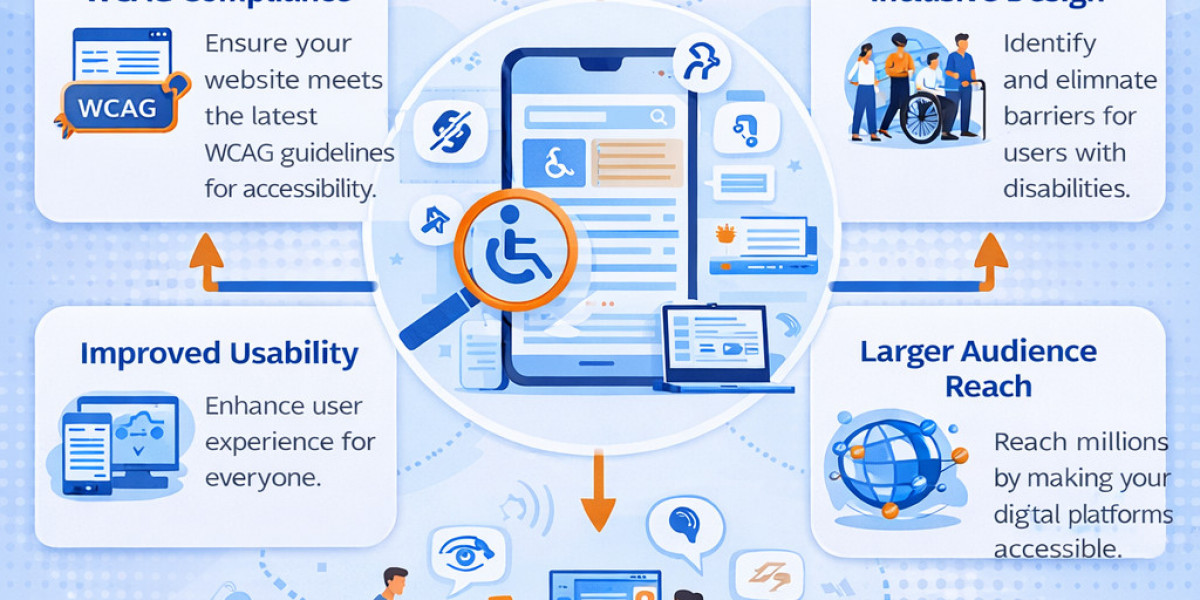
In an increasingly digital world, Web and Documents Accessibility is no longer optional—it’s a business imperative, a legal requirement, and a moral responsibility. As we step into 2026, organizations must prioritize making websites, web applications, and digital documents usable for everyone, including the 16% of the global population living with disabilities. From keyboard navigation challenges to screen reader compatibility and PDF tagging, gaps in Web and Documents Accessibility can lead to lawsuits, lost revenue, and reputational damage.
This 2026 checklist provides a practical, actionable framework for testing Web and Documents Accessibility. Whether you’re a developer, QA engineer, content creator, or compliance officer, following these steps will help you achieve WCAG 2.2 AA conformance—the current global benchmark—and prepare for evolving standards like the still-in-draft WCAG 3.0. At SDET Tech, an AI-driven Quality Engineering leader, we’ve helped enterprises across 25+ industries implement these exact practices through specialized accessibility audits and testing services.
Why focus on Web and Documents Accessibility now? Regulatory landscapes are tightening. In the US, ADA Title II updates take full effect in April 2026 for state and local governments, pushing WCAG 2.1/2.2 AA as the baseline. Europe’s European Accessibility Act (EAA) enforces similar standards across private sectors. WCAG 2.2, with its nine new success criteria addressing low vision, cognitive disabilities, and motor impairments, has become the procurement standard. Meanwhile, AI-powered testing tools are making comprehensive audits faster and more accurate than ever.
Failing to address Web and Documents Accessibility isn’t just risky—it excludes users and limits your reach. Let’s dive into a complete testing checklist tailored for 2026.
Why Web and Documents Accessibility Matters in 2026
Web and Documents Accessibility ensures equitable access to information and services. Websites and documents that meet WCAG standards improve usability for people with visual, auditory, motor, cognitive, and neurological disabilities. Benefits extend beyond compliance: better SEO (search engines favor semantic, accessible content), higher conversion rates, and stronger brand loyalty.
In 2026, AI integration in websites (chatbots, dynamic content) and documents (auto-generated reports) introduces new risks. Without proper testing, AI features can create barriers. SDET Tech’s AI-powered accessibility solutions help teams identify these issues early, combining automated scans with human expertise for real-world validation.
Legal stakes are higher too. Non-compliance can trigger costly ADA lawsuits or EAA fines. Proactive Web and Documents Accessibility testing reduces risk while future-proofing your digital assets against upcoming WCAG 3.0 principles focused on outcomes rather than techniques.
Comprehensive Web Accessibility Testing Checklist for 2026 (WCAG 2.2 AA)
Organize your testing around the four POUR principles (Perceivable, Operable, Understandable, Robust). Prioritize the nine new WCAG 2.2 success criteria, as they address real user pain points and are increasingly required by law.
1. Perceivable – Make content presentable to users in different ways
- Provide text alternatives for all non-text content (1.1.1). Test alt text for images, icons, and SVGs using automated tools and manual screen reader review.
- Offer captions and audio descriptions for multimedia (1.2.2–1.2.5). Verify synchronized captions for videos and transcripts for audio. In 2026, test AI-generated captions for accuracy.
- Ensure content is distinguishable (1.4). Check color contrast (minimum 4.5:1 for normal text), text resizing up to 200%, and no reliance on color alone.
- New in 2026 focus: Test for low-vision users with enhanced focus indicators (2.4.11–2.4.13). Keyboard focus must remain visible and not obscured by overlays.
2. Operable – Make interfaces navigable and usable
- Ensure full keyboard accessibility (2.1.1–2.1.4). No mouse-only interactions; test tab order and focus management.
- Provide enough time for users to read and interact (2.2). Avoid auto-refresh that disrupts screen readers.
- Prevent seizures and physical reactions (2.3). No flashing content above 3 times per second.
- New WCAG 2.2 criteria:
- Dragging movements (2.5.7 AA): Offer single-pointer alternatives (e.g., buttons instead of drag-to-sort). Test on touch devices.
- Target size minimum (2.5.8 AA): Interactive elements must be at least 24x24 CSS pixels with adequate spacing. Critical for mobile-first 2026 designs.
3. Understandable – Make content and operations predictable
- Ensure readable text (3.1). Use clear language, define abbreviations, and set correct language attributes.
- Make navigation and functionality predictable (3.2). Consistent navigation and no unexpected context changes.
- Help users avoid and correct mistakes (3.3). Clear labels, error identification, and suggestions.
- New in WCAG 2.2:
- Consistent help (3.2.6 A): Help mechanisms (contact info, FAQs) appear in the same location across pages.
- Redundant entry (3.3.7 A): Auto-fill previously entered data in multi-step forms.
- Accessible authentication (3.3.8 AA / 3.3.9 AAA): Avoid cognitive tests like CAPTCHA; support password managers and alternative methods.
4. Robust – Maximize compatibility with current and future technologies
- Ensure markup is valid and semantic (4.1). Use proper HTML5 elements, ARIA roles only when necessary, and test with major screen readers (NVDA, JAWS, VoiceOver).
- In 2026, test AI components (e.g., dynamic chatbots) for robust ARIA live regions and role announcements.
Additional 2026 Web Testing Tips
- Mobile and touch-screen testing: Prioritize 2.5.8 target size on all devices.
- AI-driven features: Verify that generative content (e.g., auto-summaries) includes alt text and semantic structure.
- Automated + manual testing: Use tools like axe DevTools, WAVE, or SDET Tech’s AI-powered scanners, then validate with real users and assistive tech.
- Test at every stage: Design, development, staging, and post-launch.
Aim for WCAG 2.2 AA conformance. While WCAG 3.0 remains a working draft (latest update March 2026), focus on 2.2 to stay compliant today and scalable tomorrow.
Documents Accessibility Testing Checklist for 2026 (PDF/UA and Beyond)
Web and Documents Accessibility extends beyond websites to PDFs, Word docs, PowerPoint presentations, and other static files. Untagged PDFs are a common barrier for screen reader users. Follow PDF/UA (ISO 14289) standards alongside WCAG for full compliance.
Use this eight-step checklist (adapted for 2026 best practices):
- Semantic Tags: Ensure proper heading structure (H1 first, logical progression, no skipped levels). Tag paragraphs, lists, tables, and figures. Use Adobe Acrobat or PAC 2024 checker to validate.
- Alternate Text for Images: Provide concise, meaningful alt text for informative images. Mark decorative images as artifacts. Avoid “image of…” phrasing.
- Logical Reading Order: Tags tree must match visual flow (top-to-bottom, left-to-right). Test reflow for mobile viewing.
- Color Contrast: Meet WCAG 4.5:1 ratio for text. Never convey information by color alone.
- Tables: Tag headers correctly with scope attributes. Use cell IDs for complex tables. Avoid layout tables being misread as data tables.
- Metadata: Set document title, language, and author. Enable “Display Document Title” in properties. Include PDF/UA identifier for compliance.
- Forms and Links: Tag form fields with labels and tooltips. Ensure hyperlinks are descriptive and keyboard-accessible.
- Testing and Validation: Run automated checks (Adobe Accessibility Checker, PAC 2024). Manually test with screen readers. Verify bookmarks and table of contents for navigation.
2026 Document-Specific Tips
- Create accessible source documents first (Word, Google Docs) before exporting to PDF—avoid “Print to PDF.”
- Test dynamic documents (e.g., AI-generated reports) for live updates that preserve tags.
- For scanned PDFs: Use OCR to make text searchable and then add tags.
- Compliance note: PDFs count as “web content” under WCAG and ADA. SDET Tech’s accessibility audits include full document remediation services to ensure PDF/UA alignment.
Tools and Technologies for Web and Documents Accessibility in 2026
Leverage a mix of automated, manual, and AI tools:
- Automated: axe-core, WAVE, Siteimprove, Adobe Acrobat Pro.
- Screen Readers: NVDA (free), JAWS, VoiceOver, TalkBack.
- AI-Powered: Emerging platforms that simulate user journeys and flag WCAG failures in real time.
- Browser Extensions: Color contrast analyzers, keyboard navigation testers.
SDET Tech integrates these with their proprietary SDET360.AI platform for end-to-end Web and Documents Accessibility testing, delivering detailed reports with WCAG failure reproduction steps and remediation guidance.
Common Pitfalls and How SDET Tech Helps
Many teams overlook focus visibility, target sizes, or PDF tag order—issues amplified in 2026’s complex interfaces. Others rely solely on automation, missing 30-40% of barriers detectable only by manual testing.
SDET Tech stands out as a trusted partner for Web and Documents Accessibility. As a specialist Digital Quality Engineering firm, they offer comprehensive audits covering WCAG 2.2, ADA, Section 508, and PDF/UA. Their team provides clear reproduction steps, specific WCAG violation notes, and practical fixes. Clients praise their expertise: “Nice work from the team… clear reproduction steps, specific notes on WCAG failures, and suggested resolutions” (Will Glass Hussain, Chief Software Architect @ Forio).
Whether you need a one-time audit or ongoing compliance support, SDET Tech’s AI-driven approach ensures scalable, cost-effective Web and Documents Accessibility solutions tailored to your industry.
Conclusion: Build Inclusive Digital Experiences in 2026 and Beyond
Implementing this Web and Documents Accessibility Testing Checklist will position your organization as a leader in inclusion. Start with a baseline audit, integrate checks into your CI/CD pipeline, and train teams on POUR principles. Regular testing—especially after updates—keeps you compliant amid evolving regulations and technologies.
Web and Documents Accessibility isn’t a checkbox; it’s continuous improvement that benefits every user. In 2026, with WCAG 2.2 firmly established and AI tools accelerating progress, there’s no better time to act.
Ready to elevate your Web and Documents Accessibility? Partner with SDET Tech for expert audits, remediation, and training. Visit sdettech.com or reach out today to schedule your 2026 compliance assessment. Create digital experiences that truly work for everyone.